Unity Asset Store · Coming soon

Pass Forge

All-in-One FX & HUD Toolkit for URP

Screen looks, object effects, game-feel moments, radar, minimap, world map, fog of war and HUD markers for the Universal Render Pipeline. Add a component, pick a preset, press Play. Every effect runs on a Render Graph pass you can open and change in a node editor, without writing shaders.

  • Unity 6 · URP 17
  • Render Graph
  • 3D and 2D Renderer
  • No code needed
  • Phone cost on every preset
  • Accessibility safe mode
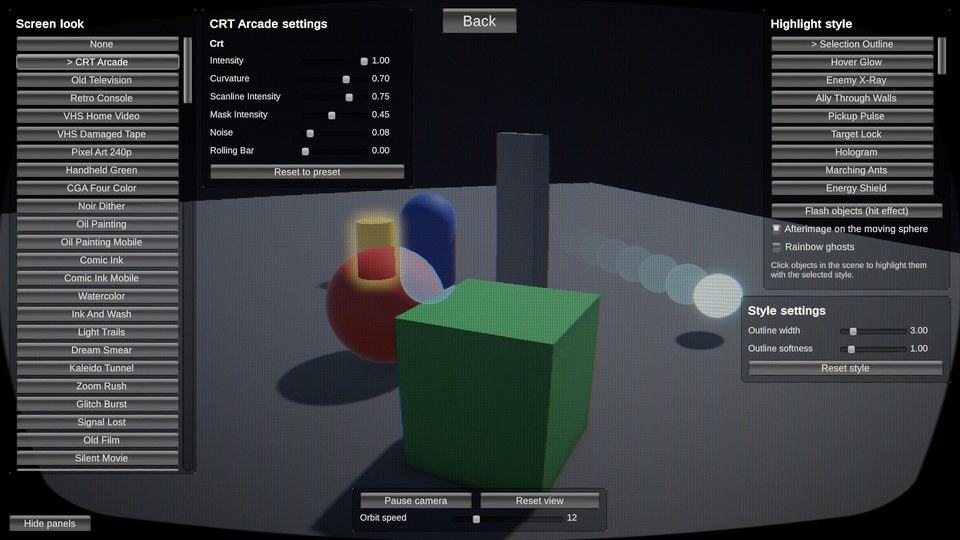
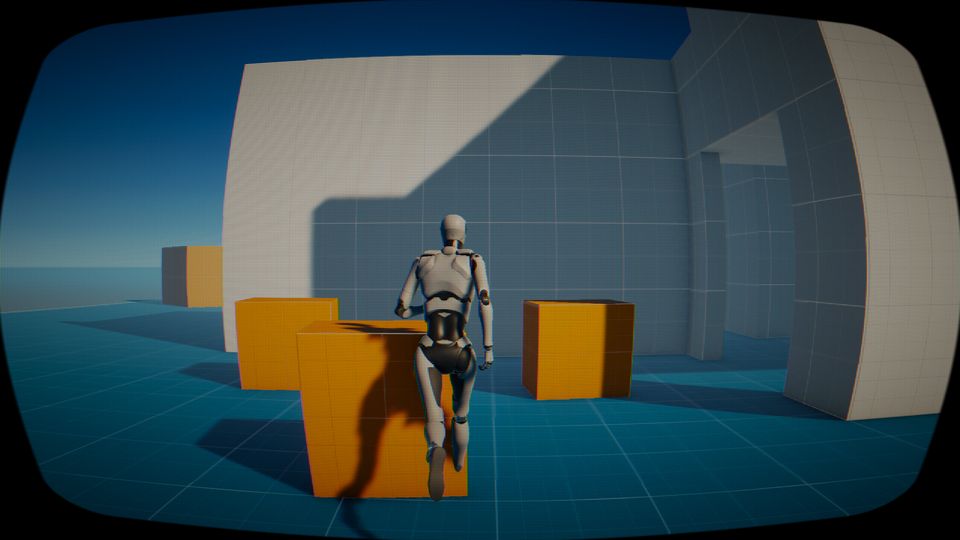
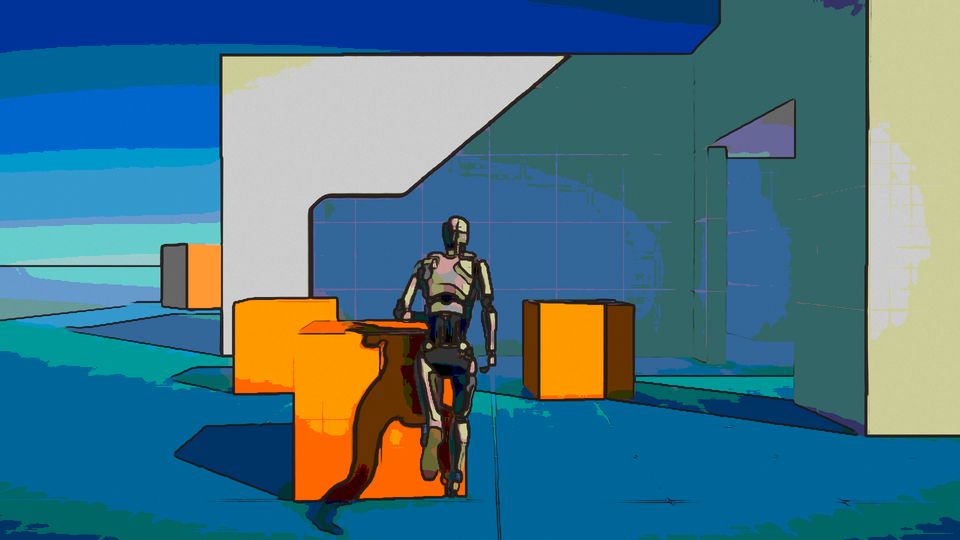
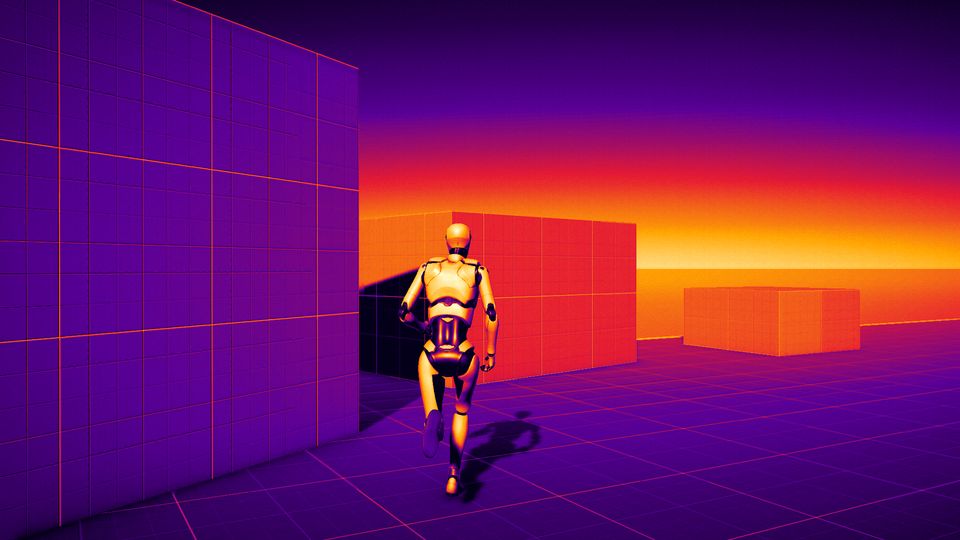
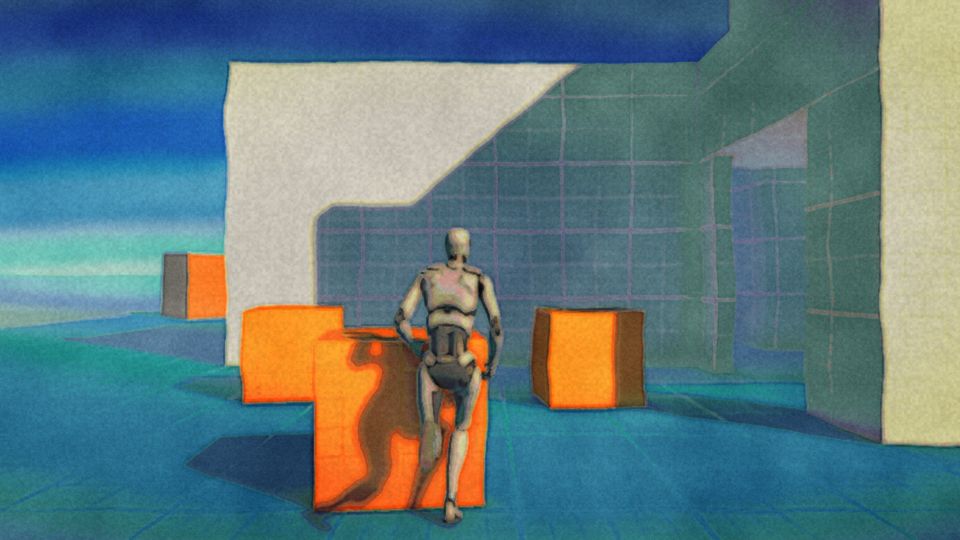
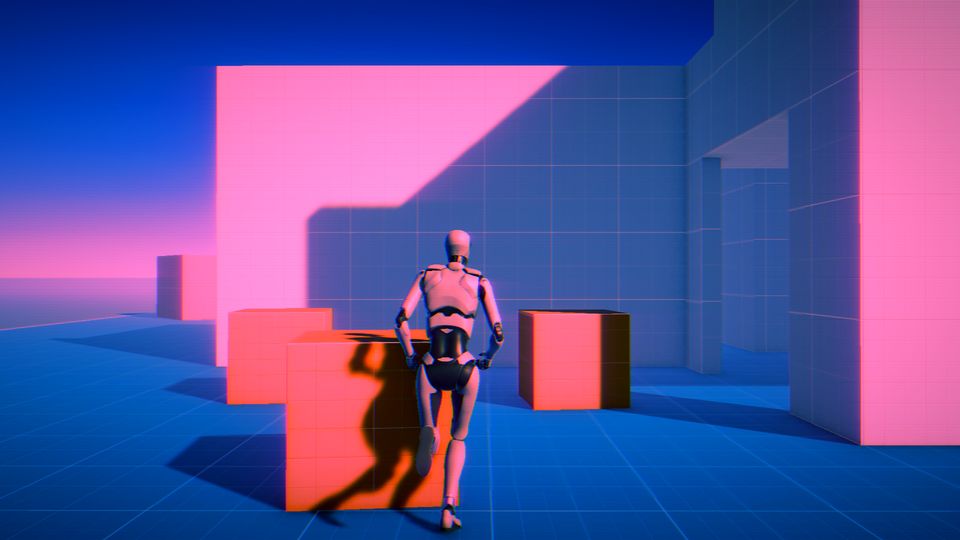
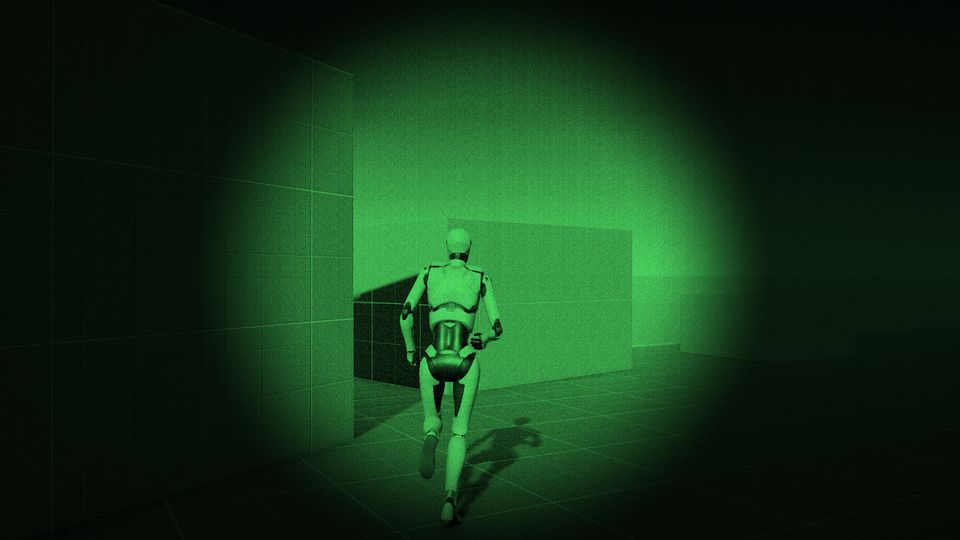
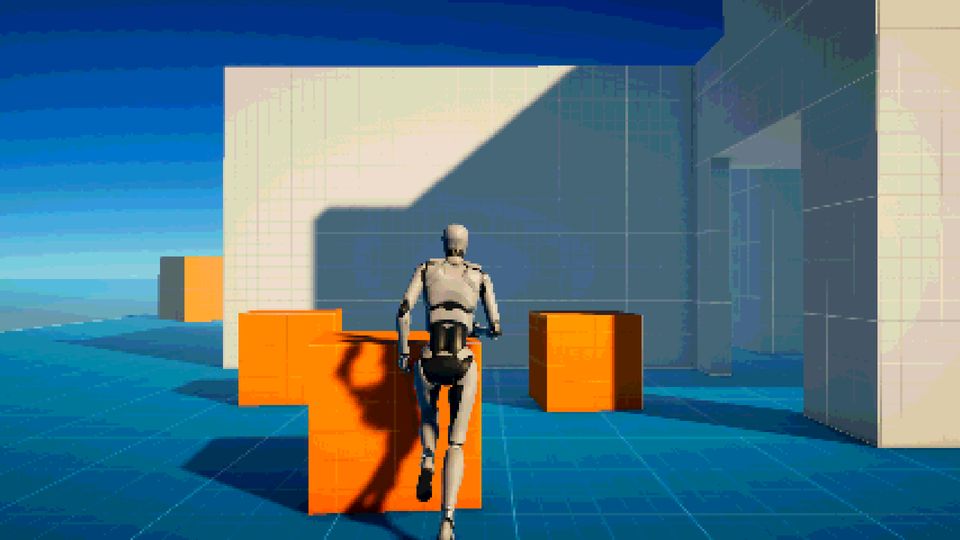
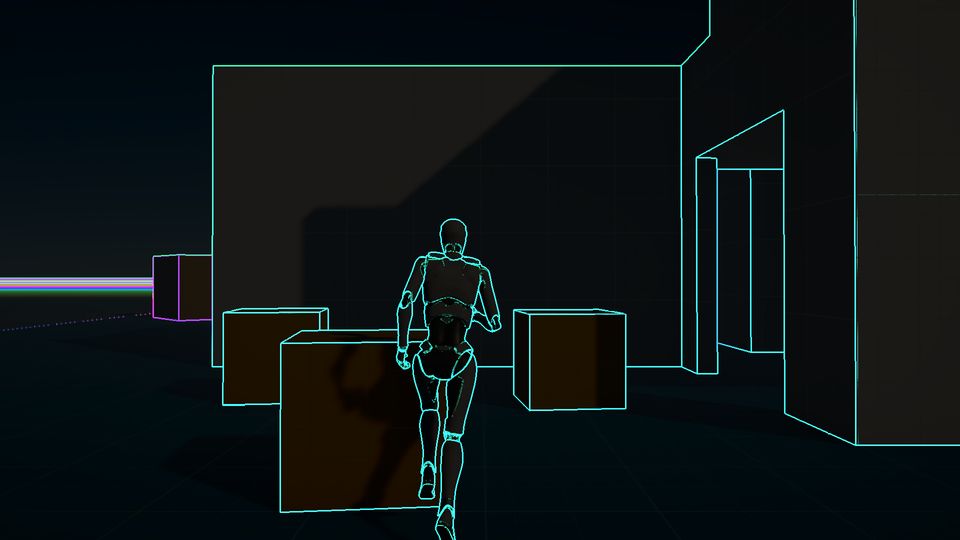
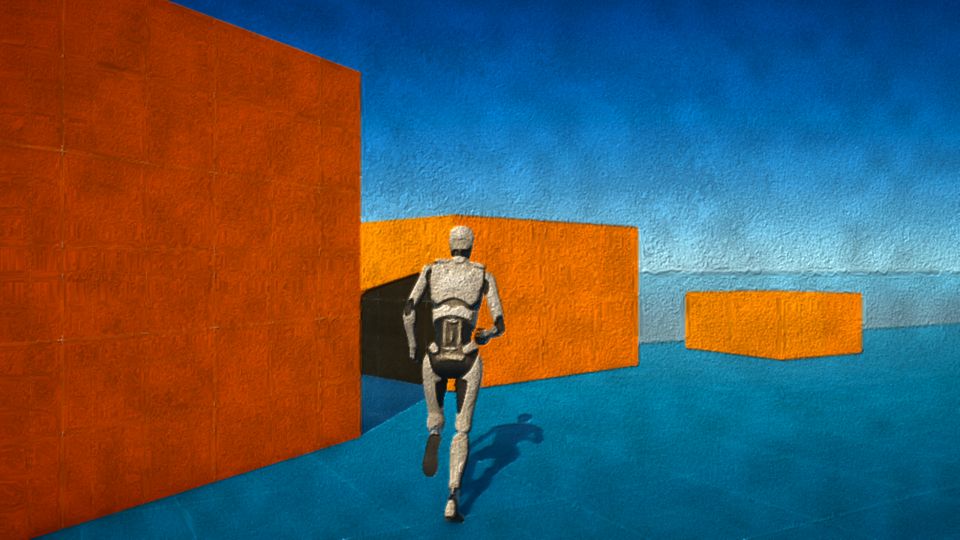
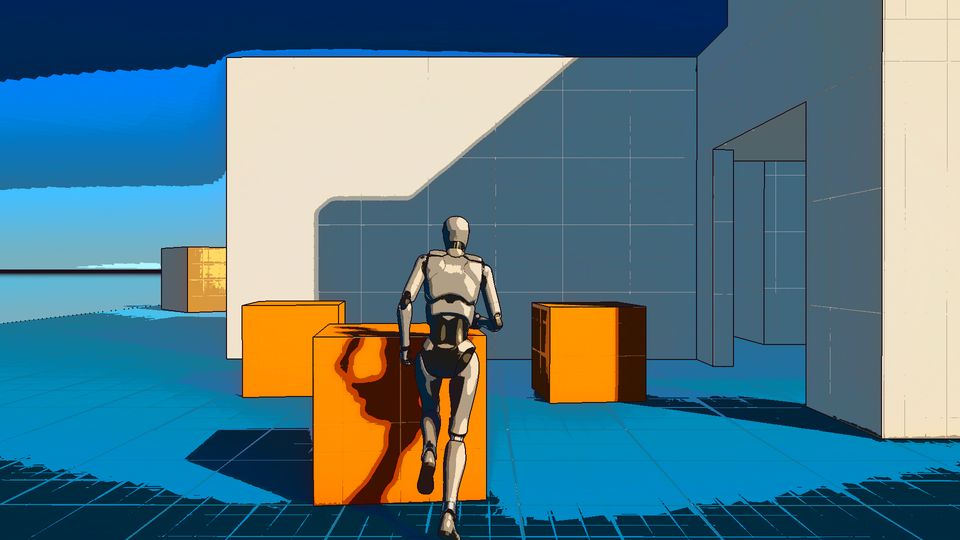
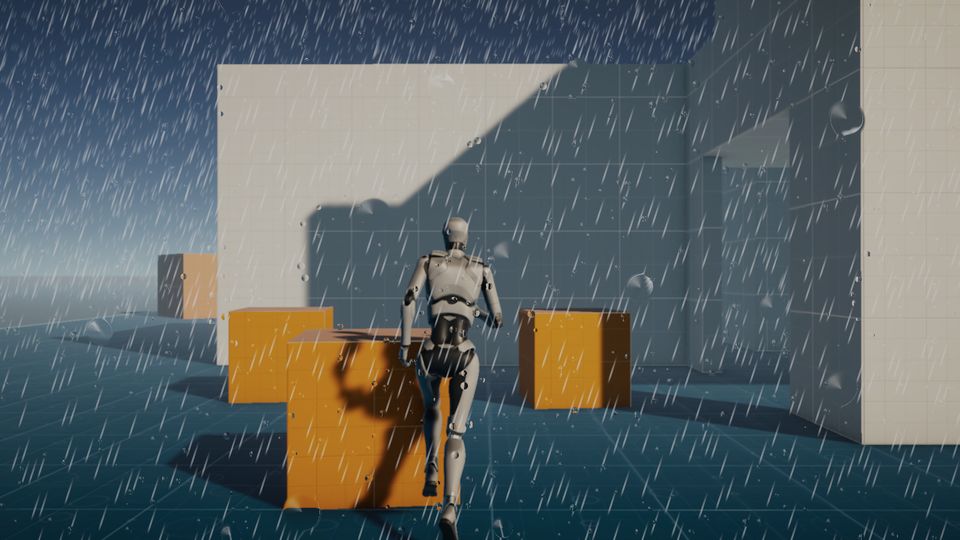
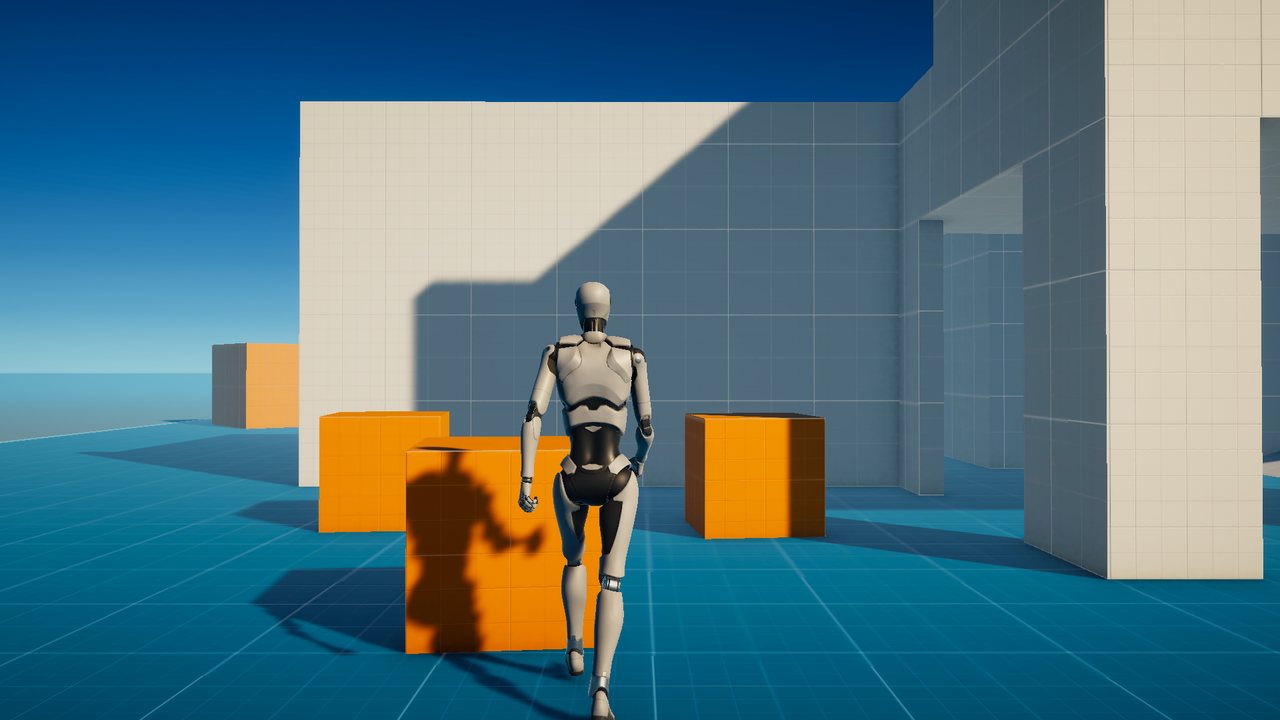
The five Pass Forge tool families as rows of icons: screen looks, object effects, game feel, HUD and navigation, fog of war and maps. Beside them, one game frame shown with no look, Silent Movie and Synthwave.
The 30 components in their five families, beside one frame of Unity's Starter Assets robot in three of the 176 looks. Demo scene not included with Pass Forge.
30components
176screen looks
46highlight looks
174ready-made moments
7HUD and navigation tools
6fog of war and map tools

Try it

Play it in your browser

The same Pass Forge, built for WebGL. No download, no account. Both open in a new tab.

Runs best in a desktop browser. Both scenes come with Pass Forge in its Getting Started sample, so you can open them in your own project.

What is in the box

Thirty components, one renderer setup

Everything sits under Add Component › Pass Forge. Each component works on its own and needs no Volume; when you want to mix effects by hand, a Volume can take over any setting.

7 components

Screen

Looks for the whole picture or one area of the world, and effects that answer gameplay.

  • Screen LookShows one of 176 looks while enabled, inside an area or from a script, with fades and cross-fades.
  • Effect MaskKeeps a look to chosen objects, or off them: the hero in color while the world turns grey.
  • Effect Mask LayersThe same choice by rendering layer, with no component on each object.
  • Screen WarpBends the picture around an object: gravity lenses, portals, heat shimmer over fires and engines.
  • Screen LightA cheap light for torches, lamps and pickups on phones, without a real Light.
  • Lens BloodBlood on the lens from the direction of the hit. Players can turn it off or make it not red.
  • Damage NumbersFloating numbers for damage, heals and criticals, from a UnityEvent or one line of code.
7 components

Objects

Effects on the objects you choose, for meshes, skinned meshes and sprites.

  • HighlightOutlines, glows, auras, x-ray through walls, patterns, glass, cloak, rarity beams: 46 looks.
  • Highlight TriggerHighlights on hover, click, aim or when the player comes near, with no code.
  • AfterimageTrails of copies behind fast objects, in the world or on screen: 10 looks.
  • DissolveDissolves or materializes an object, with a glowing edge.
  • Occluder FadeCuts a soft see-through hole in walls, roofs and trees between the camera and the player.
  • Cross SectionCuts objects with a plane and shows the inside in a section color.
  • Reveal LensA circle that shows another view: ultraviolet clues, x-ray, thermal or magnification.
1 component

Moments

Game feel without code.

  • Moment174 ready-made moments for hits, explosions, magic, horror and game flow, each a timeline you can edit.
7 components

Navigation and HUD

Show the player where to go and what to watch.

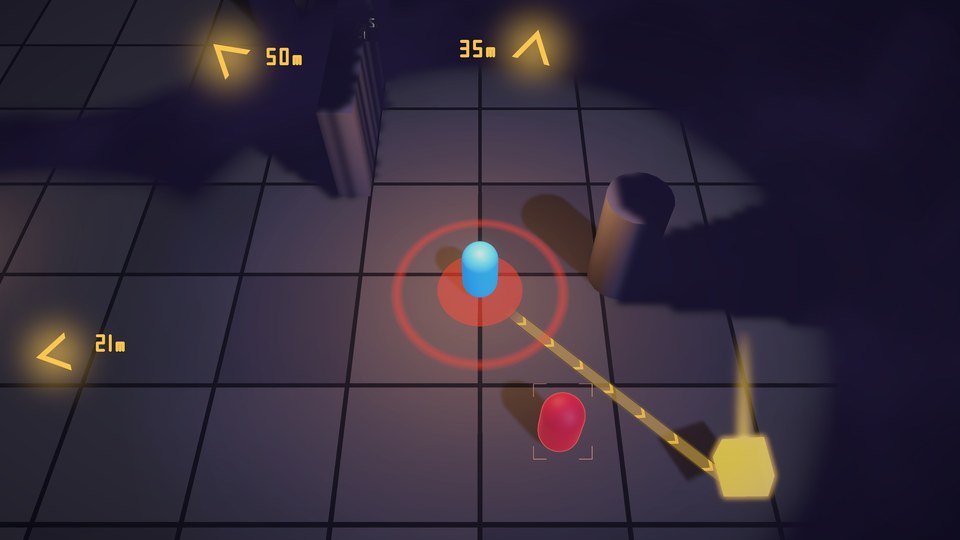
  • Compass BarA compass strip with objectives, enemies and the route ahead.
  • RouteThe way to a target on the minimap, radar, compass and ground. Follows the NavMesh when there is one.
  • Off-screen IndicatorArrows at the screen edge pointing at enemies and objectives outside the view.
  • BeaconA tall pillar of light that marks an objective from far away and fades as you come close.
  • Ground MarkerAttack warnings that fill before a strike, selection rings and target zones on any ground.
  • TetherBeams, lightning and chains from one object to another, for links, lock-ons and chain lightning.
  • Spotlight TargetDims the screen everywhere but around one object, for tutorials.
6 components

Fog of War and maps

Hide what the player has not seen, and show what they have.

  • Fog of WarExplored, visible and hidden areas, with enemies hidden in the fog. Saves and loads with the game.
  • Fog RevealerClears the fog around a unit. Add it once to each unit prefab.
  • Fog of War MinimapA minimap that follows the fog, with the route as a line.
  • Fog of War RadarA radar with blips for enemies, pings and marked objects.
  • Radar BlipPuts any object on the radars, with its own kind, shape or color.
  • World MapA full map to pan, zoom and click, which can lead the route where you click.
2 components

Interface and players

Menus over the game, and options for every player.

  • PF PanelTurns any UI image into frosted glass, or a window onto the game in black and white, thermal or night vision.
  • Accessibility MenuConnects your options menu to a safe mode, flash and shake sliders, color blindness, text size and blood settings.

One package

Thirty tools that know each other

Five separate assets mean five setups, renderer features that can clash and tools that never talk. Pass Forge is one package: one renderer setup, one Effect Presets window, one menu under Add Component › Pass Forge, and tools built to use each other.

One route, three places

Set one destination on a Route. The way shows as a line on every minimap and radar, as a caret on every compass bar and as a flowing line on the ground, all at once.

The fog decides what the radar tells

With What The Fog Shows, a radar shows enemies only while your side sees them, so it never gives away more than the Fog of War does.

One marker, every HUD

One Off-screen Indicator points from the screen edge, shows on the compass with its icon and distance, and appears on every radar as an objective.

One distance unit

Pick meters or feet once. Edge markers, compass bars and radar rings all write distances in that unit, in the same digits as Damage Numbers.

Moments drive the other tools

A Moment can show a screen look, put blood on the lens, pop a damage number and ping its spot on every compass and radar, from one timeline.

One options menu for every effect

The Accessibility Menu applies safe mode, flash and shake sliders, color blindness, text size and blood settings to every camera that shows Pass Forge effects.

One scene

The same run, sixteen ways

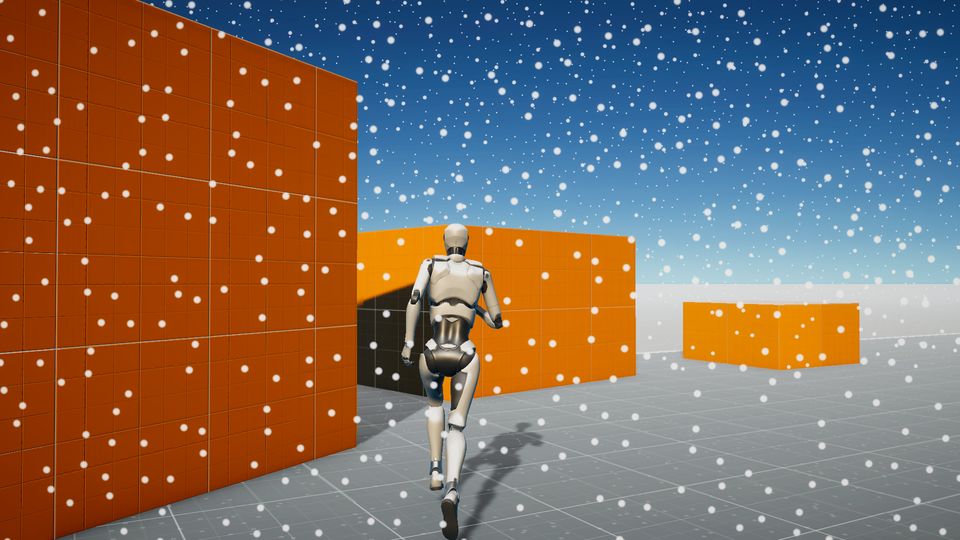
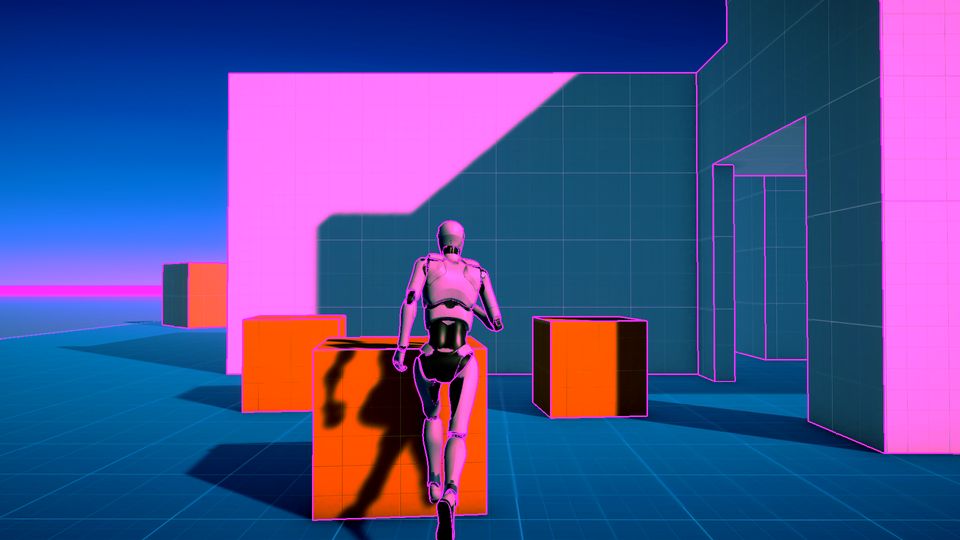
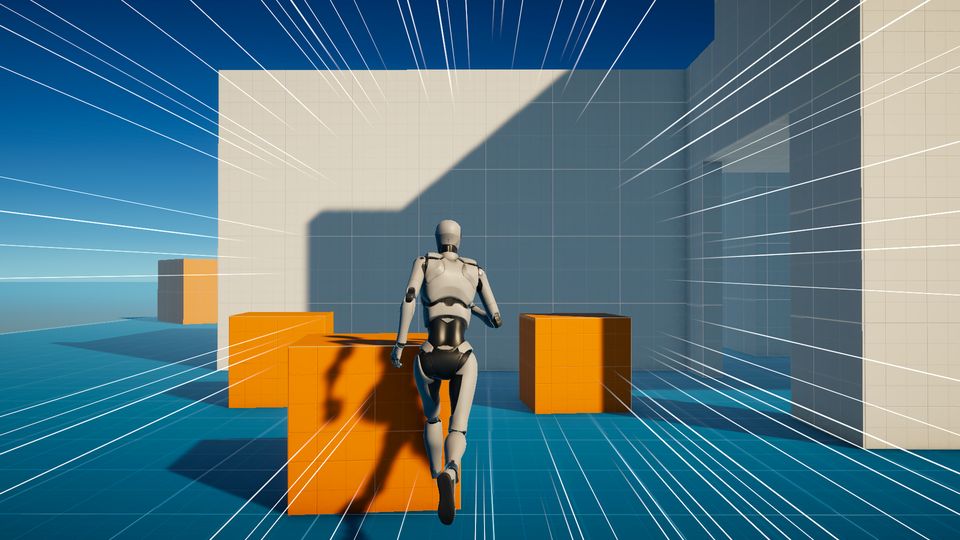
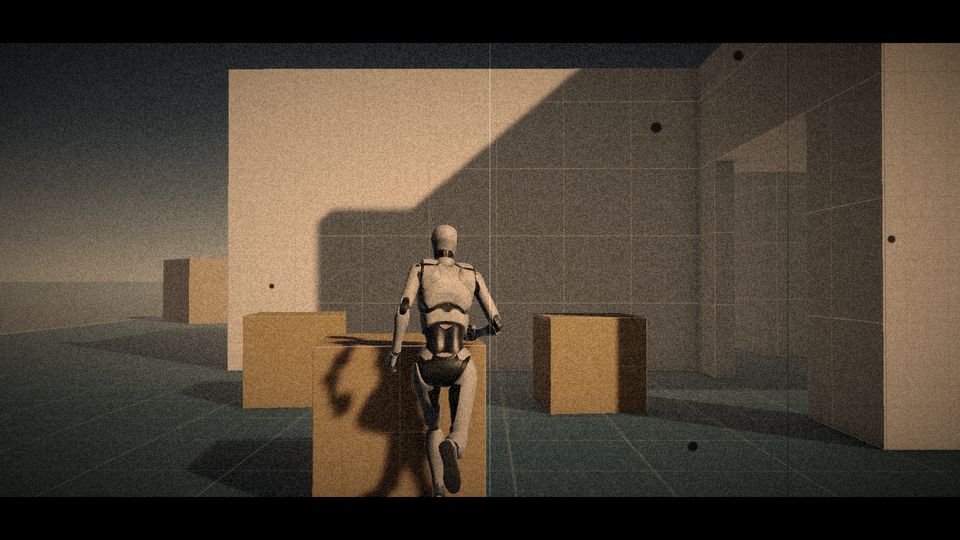
Each picture is the same robot playground with one Screen Look on it. Nothing else changes: no new materials, no lighting work, no shaders. Swap the preset and the whole picture follows.

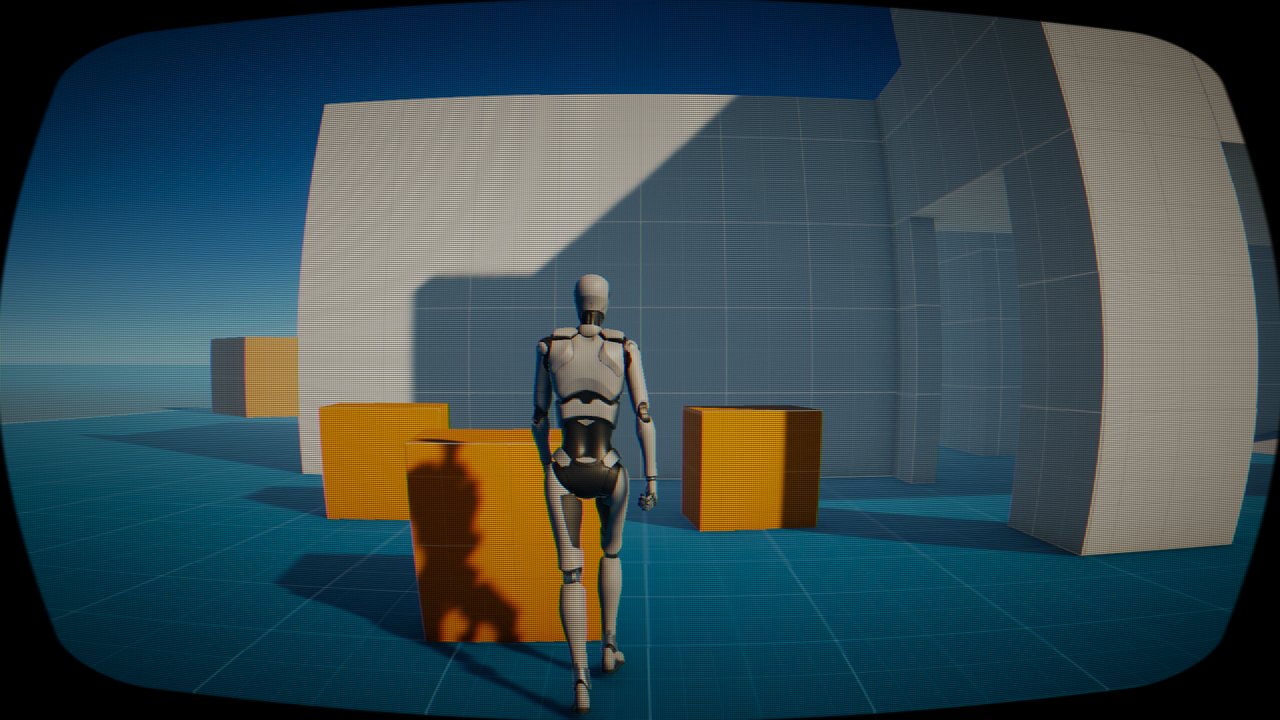
The robot playground with the CRT Arcade look.
CRT Arcade
The robot playground with the Comic Ink look.
Comic Ink
The robot playground with the Thermal Camera look.
Thermal Camera
The robot playground with the Watercolor look.
Watercolor
The robot playground with the Synthwave look.
Synthwave
The robot playground with the Night Vision look.
Night Vision
The robot playground with the Pixel Art 240p look.
Pixel Art 240p
The robot playground with the Neon Edge World look.
Neon Edge World
The robot playground with the Oil Painting look.
Oil Painting
The robot playground with the Anime Cel look.
Anime Cel
The robot playground with the Rain Storm look.
Rain Storm
The robot playground with the Snowfall look.
Snowfall
The robot playground with the Cyberpunk look.
Cyberpunk
The robot playground with the Speed Lines look.
Speed Lines
The robot playground with the Underwater look.
Underwater
The robot playground with the Old Film look.
Old Film

Captured in Unity 6.5 at 1920 × 1080. Scene: Unity Starter Assets, Third Person (not included).

Before and after

Drag across one frame

Left is the scene as URP draws it. Right is the same frame with the CRT Arcade look: curved glass, scanlines, an aperture grille and a rounded bezel, all from one preset.

The robot walking in the playground with no look. The same frame with the CRT Arcade look.
No look CRT Arcade

How it works

From import to a finished look

These are the real Unity panels, captured in the editor's dark theme.

1

Run Set Up Effects once

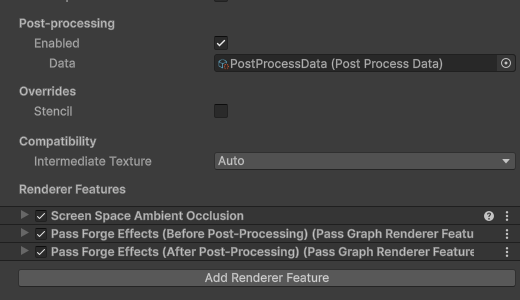
Tools › Pass Forge › Set Up Effects adds two renderer features to your URP renderers, one before post-processing and one after. Nothing else in your project changes.

Inspector · PC_Renderer
The URP renderer's Renderer Features list with the two Pass Forge Effects features added.
2

The graphs are yours

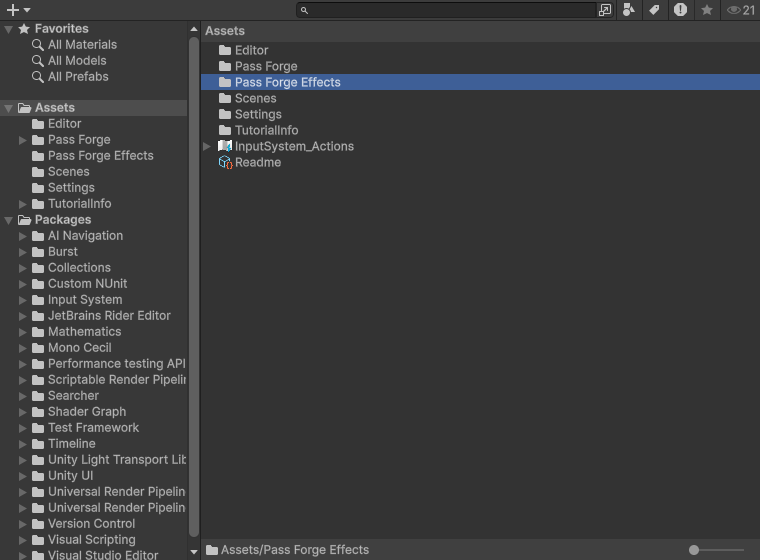
The effect graphs are copied into Assets/Pass Forge Effects. Open any of them in the graph editor to change an effect, or leave them alone and use the presets.

Project
The Project window with the Pass Forge Effects folder selected.
3

Add a Screen Look and pick a preset

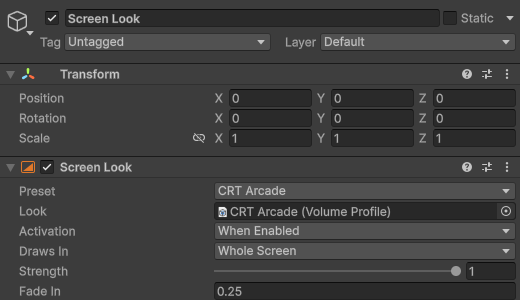
It shows at once, even before you press Play. Activation decides when: while enabled, while the camera is inside an area, or when a script calls Play(). Draws In can keep the look to one area of the world. Strength, Fade In and Fade Out blend it in and out.

Inspector · Screen Look
The Screen Look component with the CRT Arcade preset picked.
4

Browse every look with its cost

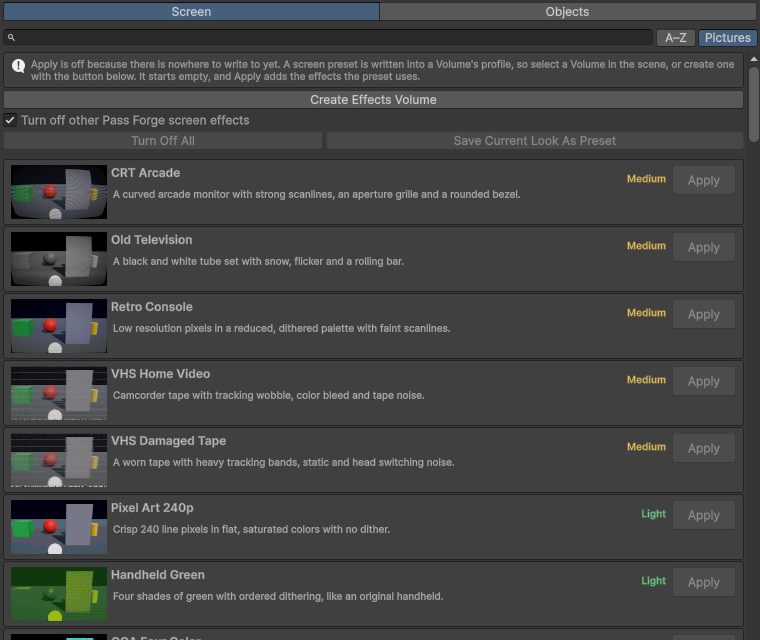
Window › Pass Forge › Effect Presets lists every screen, highlight and afterimage look with a picture, a one-line description and its cost on a mid-range phone. Apply writes it into the Volume you select.

Effect Presets
The Effect Presets window listing CRT Arcade, Old Television, Retro Console and more, each with a cost label.
5

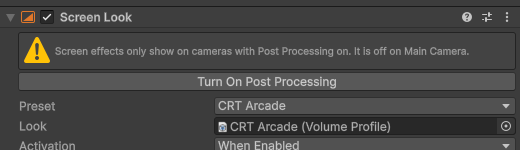
It tells you when something is off

A look that cannot show says why. Here the camera's Post Processing is off, and one click turns it on. Pass Forge's inspectors catch the common setup mistakes the same way.

Inspector · Screen Look
A warning in the Screen Look inspector: screen effects only show on cameras with Post Processing on, with a Turn On Post Processing button.

Look library

Every shipped look, with its phone cost

The pictures are the thumbnails the Effect Presets window shows. Search by name or filter by cost. Mobile variants such as Comic Ink Mobile and Oil Painting Mobile trade detail for speed.

Moments

174 game-feel moments, no code

A Pass Forge Moment plays a timeline of steps from a button, a trigger or any UnityEvent: a hit stop, a shake, a shockwave ring, a flash on the object, a short look, a transition. Pick a ready-made one and adjust it, or build your own. Moments use Pass Forge's own render effects, so they work alongside a feedback tool such as Feel rather than replacing it.

Combat25

Hit, Heavy Hit, Critical Hit, Headshot, Hit From The Side, Phone Buzz Hit, Player Hurt, Low Health, Death, Block, Parry, Stagger, Knockback, Enemy Kill, Kill Confirm, Combo Finisher, Ground Slam, Stomp, Dash, Charge Up, Rage Mode, Shot Fired, Scope In, Sniper Zoom, Bullet Time

Blood8

Shot In The Face, Bleeding Hit, Bloody Hit, Bloody Heavy Hit, Close Kill, Alien Hit, Robot Hit, Paint Splat

Numbers7

Damage Number, Critical Number, Heal Number, Blocked, Miss, Pickup Gain, Level Up Text

Magic20

Fireball Impact, Ice Blast, Lightning Bolt, Teleport, Blink, Heal, Power Up, Curse, Poison, Time Stop, Slow Time, Shield Up, Spell Cast, Summon, Portal Open, Mind Control, Holy Light, Dark Pulse, Vanish, Appear

Explosions and World19

Explosion, Big Explosion, Grenade, Small Blast, Flashbang, Nuke, Meteor Impact, Earthquake, Aftershock, Landing, Hard Landing, Lightning Strike, Storm, Distant Thunder, Gas Leak, Sandstorm Gust, Collapse, Splash, Dive

Sci-Fi17

EMP, Hack, Glitch, Signal Lost, Warp Jump, Scanner Ping, Sonar Ping, Thermal Scan, Night Vision, Detective Mode, X-Ray Pulse, Shield Hit, Overheat, Data Corruption, System Reboot, Hologram Flicker, Digital Rain

Horror13

Jump Scare, Panic, Sanity Loss, Light Flicker, Flickering Lamp, Memory Flashback, Blackout, Wake Up, Drowning, Possession, Cursed Tape, Creeping Dread, Scream

Game Flow35

Level Up, Pickup, Coin, Checkpoint, Objective Marked, Show The Way, Quest Complete, Achievement, Respawn, Game Over, Victory, Fade To Black, Fade From Black, Scene Change: Iris, Scene Change: Fade, Scene Change: Diamonds, Scene Change: Dissolve, Scene Change: Wipe, Scene Change: Ink Splash, Scene Change: Iris On This, Scene Change: Heart, Scene Change: Star, Scene Change: Clouds, Scene Change: Blinds, Scene Change: Clock, Scene Change: Shards, Scene Change: Pixels, Scene Change: Spiral, Picture Shatter, Picture Burn, Page Turn, Comic Panels, Rewind, Photo Snap, Music Duck

Retro and Style14

VHS Rewind, Tape Glitch, Pixel Burst, Comic Impact, Anime Speed Burst, Manga Beat, Film Cut, Silent Movie Moment, Retro Time Warp, Arcade Hit, Pop Art Pow, Toon Outline Pulse, Neon Pulse, Dream Sequence

Object Reactions16

Hit React, Heavy Hit React, Hit React 2D, Squash Land, Pickup Pop, Coin Collect, Spawn In, Death Fade, Invincible Blink, Healed, Level Up Pop, Power Up Pop, Dash Kick, Door Slam, Kick Impulse, UI Flash In

  • Hit stop and slow motion
  • Screen shake and gamepad rumble
  • Shockwave rings in the world
  • Flashbang and color flashes
  • Lightning bolts and flash lights
  • Transitions and scene loads
  • Screen looks for a moment
  • Highlight flash on the object
  • Dissolve and materialize
  • Damage numbers and hit direction
  • Blood on the lens
  • Sound, particles and prefabs
  • Explosion force and impulses
  • Cinemachine impulse and FOV kick
  • VHS rewind and datamosh
  • Phone vibration
  • Route and map pings
  • Any UnityEvent

53 kinds of steps in all, from fog and light changes to animator triggers and audio mixer snapshots.

Performance

Costs measured on a phone, not guessed

Every shipped look carries a cost label: the extra GPU time on a mid-range Android phone (Adreno 720) at URP's mobile default Render Scale of 0.8, about 2189 × 1011 pixels. Highlights were measured on eight objects. The Benchmark sample measures every look on your own devices.

Light
under 1.5 ms

75 screen looks and 13 highlight looks. Fine for most phone games.

Medium
1.5 to 4 ms

75 screen looks and 25 highlight looks. Phones with headroom, and all desktops.

Heavy
over 4 ms

26 screen looks and 8 highlight looks. Desktop and console, or short moments on phones.

Scripting

One line when you want code

Nothing needs code, but everything can be driven from it. The guide's Scripting section has a working example for each job, and the package ships an AI assistant guide (a Claude Code skill, a Cursor rule and AGENTS.md) so your AI tools use the API correctly.

Show a look after a hit

// Screen Look on any object
look.PlayFor(2f);
look.CrossFadeTo(nightVision, 0.5f);

Play a ready-made moment

// by name, at a position
PassForgeMoment.PlayNamedAt("Heavy Hit", enemy.position);
moment.PlayWithValue(damage);

Shake, rings and flashes

PassForgeScreenShake.Shake(0.5f, 0.4f);
PassForgeShockwaves.Spawn(hitPoint);
PassForgeFlashLights.Spawn(hitPoint, Color.yellow);

Numbers, blood and transitions

PassForgeDamageNumbers.Spawn(enemy.transform, damage);
PassForgeLensBlood.SplatFrom(enemy.position);
PassForgeTransition.Cover(TransitionStyle.Iris);

Under the hood

A node editor for Render Graph passes

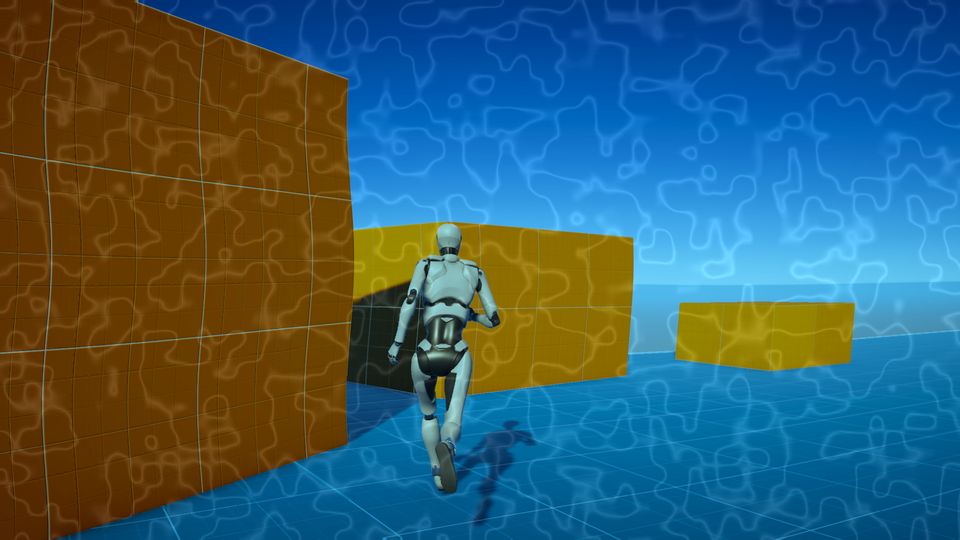
Every effect is a graph of Render Graph passes. Create one with Assets › Create › Pass Forge › Graph, double-click it to open the graph editor, and add it to a renderer with a Pass Graph Renderer Feature. The guide's node reference covers every node, the ordering rules and how to write a node of your own.
Requirements

Before you buy

Unity6000.0.23f1 or later. Tested on Unity 6.0, 6.3, 6.5, 6.6 and the 6.7 beta.
Render pipelineUniversal Render Pipeline 17 on Render Graph, which is how URP renders by default. On Unity 6.0 to 6.2, leave Compatibility Mode (Render Graph disabled) off in Project Settings › Graphics.
RenderersUniversal Renderer and 2D Renderer. Effects that work on 3D surfaces, such as fog, depth of field and surface weather, need the Universal Renderer; the Effect Presets window marks those looks Needs 3D in a 2D scene.
InstallA classic Asset Store package under Assets/Pass Forge. Its Getting Started sample builds an effects showcase, a 2D showcase and a benchmark scene from the Tools menu.
DocumentationThe online docs: every component with its real Inspector, 50 step-by-step how-tos, the full manual, Scripting and API. The same guide ships offline and opens from Tools › Pass Forge › Documentation.

Fine print, up front

What Pass Forge does not do

  • No HDRP or Built-in pipelineIt is made for URP's Render Graph and does not run on the other pipelines.
  • Not a Feel replacementMoments play Pass Forge's render effects on one timeline. Feel has far more feedback types, and the two work together.
  • Some effects are 3D onlyDissolve, Occluder Fade and Cross Section change mesh materials, and surface effects need the depth of a 3D scene.
  • The demo scenes are not includedThe robot playground in the pictures is Unity's free Starter Assets. The package ships its own sample scenes.

Questions

FAQ

Do I need to write code or shaders?

No. Add a component and pick a preset. Moments play from buttons, triggers and UnityEvents. Code is there when you want it, usually one line.

Will it slow my phone game down?

Each look shows its measured cost on a mid-range phone before you use it, and many have Mobile variants. Run the Benchmark sample to measure your own devices.

Does it work in 2D?

Yes, with the URP 2D Renderer. Highlight, Afterimage and flashes draw sprites. Effects that need 3D surfaces are marked Needs 3D in the Effect Presets window.

Can I change how an effect looks?

Every effect has detailed settings, and its graph is copied into your project, where you can open it in the graph editor and change or extend it. Shipped presets stay read-only; Make Editable Copy gives you your own.

Does it work with my other post-processing assets?

Pass Forge adds two renderer features and draws its passes inside URP's Render Graph, next to URP's own post-processing.

Is it accessible to players?

An Accessibility Menu component connects your options menu to a safe mode, sliders for flashes, screen shake and color adjustment, text size, a color blindness setting and a blood setting. Players' choices are saved and come back on the next start.

Is the robot scene included?

No. The pictures use Unity's free Starter Assets. Pass Forge ships its own Getting Started sample, an effects showcase, a 2D showcase and a benchmark scene.