How do I
Put several Moments on one object
Add one Pass Forge Moment per event and give each a Name; drag the component itself into a field, since dragging the object picks its first Moment.
You want
Your enemy has a hit reaction, a critical hit and a death, each with its own flash, shake and sound, and you want all three on the enemy prefab.
Steps
- Decide between one moment and several. One moment plays all its steps together when it plays, each after its own Delay. Several moments suit separate events that play at different times.
- To combine two ready made moments into one, pick the first in Preset, then open Preset again and tick Add to the steps already here before you pick the second. Off, the picked moment replaces the steps. The toggle shows once the moment has steps.
- For separate events, add Add Component > Pass Forge > Moment once per event. A Unity object can hold several components of the same kind, and the Moment allows it.
- Give each one a Name, such as Enemy Hit, Enemy Critical and Enemy Death.
- To wire a moment into a field or a UnityEvent, drag the Moment component itself, by its header in the Inspector, into the field. Dragging the object picks the first Moment on it.
- To share one moment between many objects, add a Play Another Moment step. A prefab, which cannot point at an object in the scene, gives the moment's Name instead.
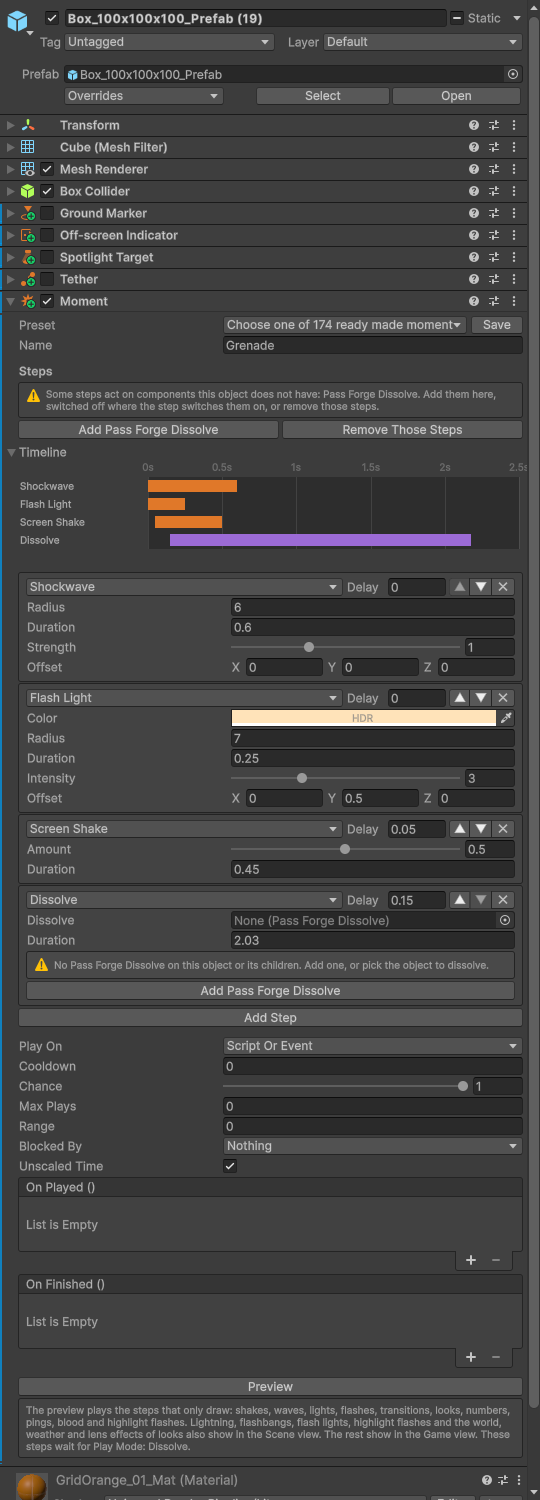
What you should see
Each moment plays on its own call. The Timeline above the steps shows when each step of one moment plays and for how long, and you can drag a step sideways to change its Delay.
Other Pass Forge components follow the same Unity rule. Moment, Screen Look, Beacon, Ground Marker, Tether, Screen Warp, Screen Light and Fog Revealer can sit on one object several times. Highlight, Highlight Trigger, Afterimage, Dissolve, Occluder Fade, Cross Section, Effect Mask, Effect Mask Layers, Off-screen Indicator, Spotlight Target, Lens Blood, Damage Numbers, Route, Radar Blip, PF Panel, Compass Bar, Fog of War Minimap, Fog of War Radar, World Map and Accessibility Menu allow one per object, and Unity refuses a second.
If it does not work
- The wrong moment plays. The field holds the first Moment on the object. Drag the component itself, or play the moment by name.
- A moment plays on enable when you did not ask. Check Play On on each one: Enable plays each time the component is enabled.
- PlayNamed plays nothing. It plays enabled moments only, and only in Play Mode. Check the spelling of Name.
- Some hits show no damage number. A moment held back by its Cooldown, Chance or Max Plays plays none of its steps. Put the number in a moment of its own.
From a script
using PassForge.Effects;
using UnityEngine;

public class EnemyReactions : MonoBehaviour
{
    // Drag each Moment component into its field by the component's header, not by the object.
    [SerializeField] PassForgeMoment m_Hit;
    [SerializeField] PassForgeMoment m_Critical;
    [SerializeField] PassForgeMoment m_Death;

    public void Hit(float damage) => m_Hit.PlayWithValue(damage);
    public void Critical(float damage) => m_Critical.PlayWithValue(damage);
    public void Death() => m_Death.Play();
}
PassForgeMoment.PlayNamed("Explosion") plays every enabled moment with that name in the loaded scenes, and PassForgeMoment.StopNamed("Alarm") stops them. Since a name reaches every moment that has it, use names for one moment in the scene that serves every enemy, played over each with PlayNamedAt("Enemy Hit", enemy.transform, damage), and references for moments on the enemy itself.