How do I
Show only your team's sight in fog of war
Put a Fog Revealer on each unit prefab, give each a Team, and tick only your side in the Fog of War's Visible Teams; in multiplayer set fog.visibleTeams = 1 << localTeam on each machine, then ResetExplored().
You want
In a strategy game every unit of yours uncovers the map around it, while enemy units uncover nothing for you. In an online match each player sees only their own side's sight.
A side's Fog Revealers all open the same map, so what any unit sees is open to its whole side.
Steps
- Add Add Component > Pass Forge > Fog Revealer once to each unit prefab, with the Radius that unit type sees. Scouts see far, workers less.
- Give each revealer a Team, from Team 0 to Team 31, such as 0 for the player and 1 for the enemy.
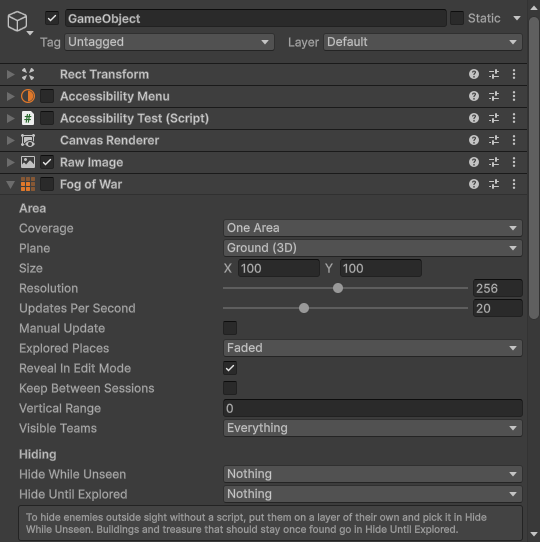
- On the Pass Forge Fog of War, open Visible Teams and tick only the teams whose sight it shows. Visible Teams starts at Everything, so every revealer counts until you change it. Ticking two teams shares an ally's sight.
- A revealer of a team the fog does not show says so in its inspector; that suits an enemy unit.
- Put enemy units on a layer of their own and pick it in the fog's Hide While Unseen, so they show only while your side sees them.
- For a radar, a Pass Forge Radar Blip set to By Team is friendly when the fog shows its team and hostile otherwise. A Fog Revealer on the same object gives its team.
- In multiplayer, each player's machine draws its own fog. Set the team of each unit as it spawns and the fog's visible teams once the local team is known, from code, as below.
Another way for a single player game: enable only the revealers of your own units, and leave the enemy's revealers switched off or off their prefabs.
What you should see
Only your side's units open the fog, and enemies show only where your side sees them. On radars your units show as arrows, enemies as diamonds.
If it does not work
- Enemy units uncover the map. Visible Teams is still Everything, or the enemy revealers share your team.
- Everything stays hidden. Visible Teams is Nothing, or no revealer in the scene is on one of the visible teams. The Fog of War inspector says which.
- Places your old team saw stay explored after a team change. The map does not keep which team explored a place. Call
ResetExplored()after changingvisibleTeams. - Unseen enemies must stay secret in an online game. The fog hides only their look on each player's machine. Keeping a fog per team on a server, or not sending unseen enemies to a player at all, belongs to the game's networking.
- The radar shows enemies a player should not see. Set the radar's Show to What The Fog Shows.
From a script
using PassForge.Effects;

public static class FogTeams
{
    // When a unit spawns, with the team the game gives it, from 0 to 31.
    public static void OnUnitSpawned(PassForgeFogRevealer revealer, int team) => revealer.team = team;

    // Once the local player's team is known.
    public static void OnLocalTeamKnown(int localTeam)
    {
        var fog = PassForgeFogOfWar.current;
        if (fog == null)
            return;

        fog.visibleTeams = 1 << localTeam;   // only this side's revealers open the fog
        fog.ResetExplored();                 // start clean
    }

    // Allies share sight.
    public static void ShareSight(int localTeam, int allyTeam)
    {
        var fog = PassForgeFogOfWar.current;
        if (fog != null)
            fog.visibleTeams = (1 << localTeam) | (1 << allyTeam);
    }
}
fog.ShowsTeam(team) says whether a team's revealers open the fog, and IsVisible(position) answers game logic, such as whether the player may target a unit.