How do I
Rumble the gamepad or vibrate the phone
Add a Rumble step to a Moment for gamepads and a Phone Vibration step for phones, or call PassForgeRumble.Play(strength, seconds) and PassForgeHaptics.Vibrate(milliseconds, strength).
You want
An explosion rumbles the gamepad, and on a phone a hit gives a short buzz in the player's hand.
Steps
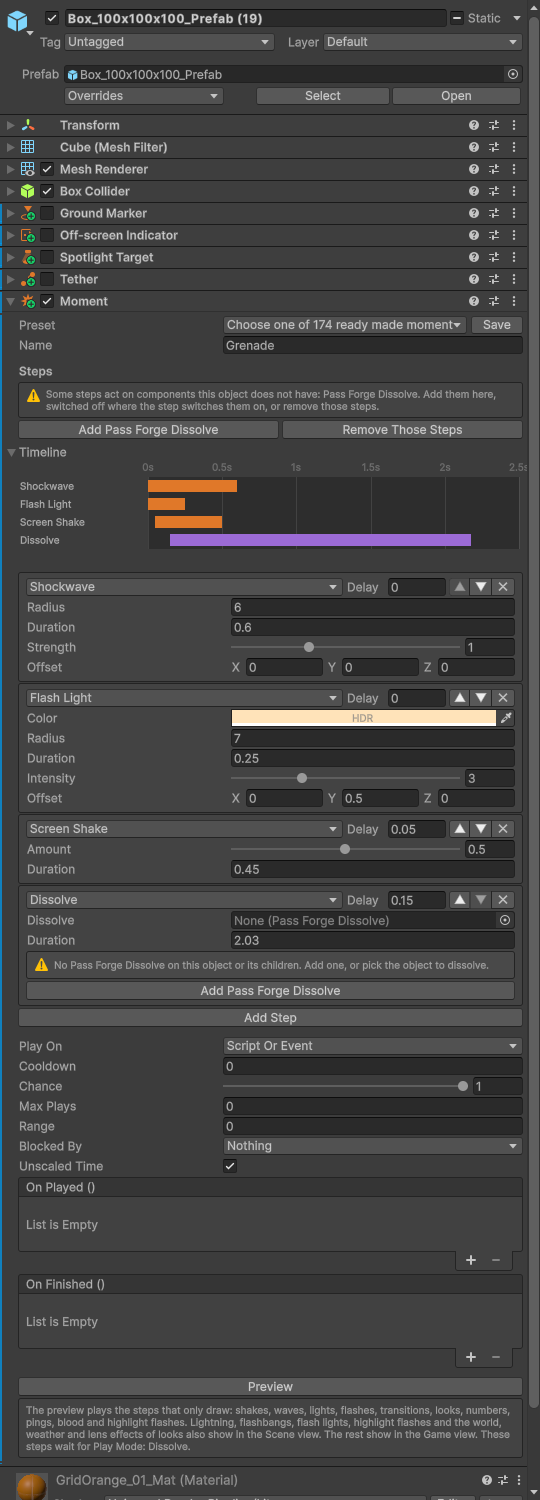
- Open the moment that plays the event, such as the explosion's Pass Forge Moment.
- For gamepads, press Add Step and pick Rumble. Set Strength from 0 to 1 and Duration in seconds. Gamepads need the Input System package.
- For phones, add a Phone Vibration step. Set Milliseconds, where 20 to 60 is a tap, 100 to 300 a hit and 500 and more a rumble, and Strength.
- When you use both steps, keep the Rumble's Strength at 0.35 or less. A Rumble above 0.35 also buzzes phones at their one strength, so the phone would buzz twice.
- Set the moment's Range and Blocked By so a far or hidden explosion rumbles less. They scale both steps.
Inspector
What you should see
Gamepads rumble for the step's seconds. Android phones vibrate as long as asked, and those that can set their strength follow it. iPhones buzz at their one strength for their own short time. Phones that cannot set their strength skip vibrations weaker than a quarter. The player's shake setting scales both, and turning it off stops the phone vibration too.
If it does not work
- Nothing vibrates in the Editor. Phones vibrate in Android and iOS builds only. The Editor and other platforms stay still.
- The gamepad does not rumble. Install the Input System package.
- The phone buzzes on weak hits. A Rumble step above 0.35 buzzes phones too. Lower it, and use a Phone Vibration step for the phone.
- Players want it off. The Accessibility Menu's screen shake slider scales it, and at 0 nothing rumbles.
From a script
using PassForge.Effects;

public static class Feel
{
    // A stronger or longer rumble meanwhile takes over.
    public static void Explosion() => PassForgeRumble.Play(1f, 0.4f);

    // 20 to 60 ms is a tap, 100 to 300 ms a hit.
    public static void Tap() => PassForgeHaptics.Vibrate(40, 0.6f);

    // Offer a vibration option only where it does something.
    public static bool ShowVibrationOption => PassForgeHaptics.canVibrate;

    public static void Paused()
    {
        PassForgeRumble.Stop();
        PassForgeHaptics.Stop();
    }
}